Landlords, property managers and lenders ask for recent pay stubs to confirm what you earn. A pay stub also carries your Social Security number (or part of it), your employee ID and the bank account your pay is deposited into, none of which the person checking your income needs.
This guide covers what to redact on a pay stub, what has to stay readable, and how to remove the numbers from the PDF so they cannot be copied out of it.
In this guide
Redact, Never Edit
Redacting removes information you are entitled to keep private. Changing anything on a pay stub, such as a pay amount, an hours figure, a date or the employer's name, and presenting it as genuine is fraud. If a figure on your stub is wrong, ask your payroll team for a corrected copy.
What to Redact
- Social Security number. Many payroll systems already print only the last four digits. If yours shows the full number, redact it, or keep the last four.
- Employee ID or file number.
- Direct deposit details: bank account and routing numbers.
- Home address, if the application already has it.
Deduction lines can reveal health plan choices or a wage garnishment. Their amounts are part of how gross pay becomes net pay, so leave the amounts readable. If you would rather not show a description, ask the recipient before redacting it; a stub whose numbers do not add up is likely to be rejected.
What to Leave Readable
Your name, the employer's name, the pay period and pay date, hours and rate if listed, gross pay, net pay and the year-to-date totals. That is what a landlord or lender is checking, and most will not accept a stub without them.
Redact a Pay Stub in Four Steps
- Open the pay stub in the LanaPDF editor. Download it from your payroll portal as a PDF, or open a photo of a paper stub. The file stays on your device.
- Choose Tools > Redact and drag across each identifier listed above. The box snaps to the line of text. To keep the last four digits of a number, stop the drag before them.
- Save. Pages with a redaction are saved flattened, with a hidden text layer that leaves out the covered words, so the numbers are gone from the file while the pay figures can still be searched.
- Check the saved copy with the checklist below.
What a Redacted Pay Stub Looks Like
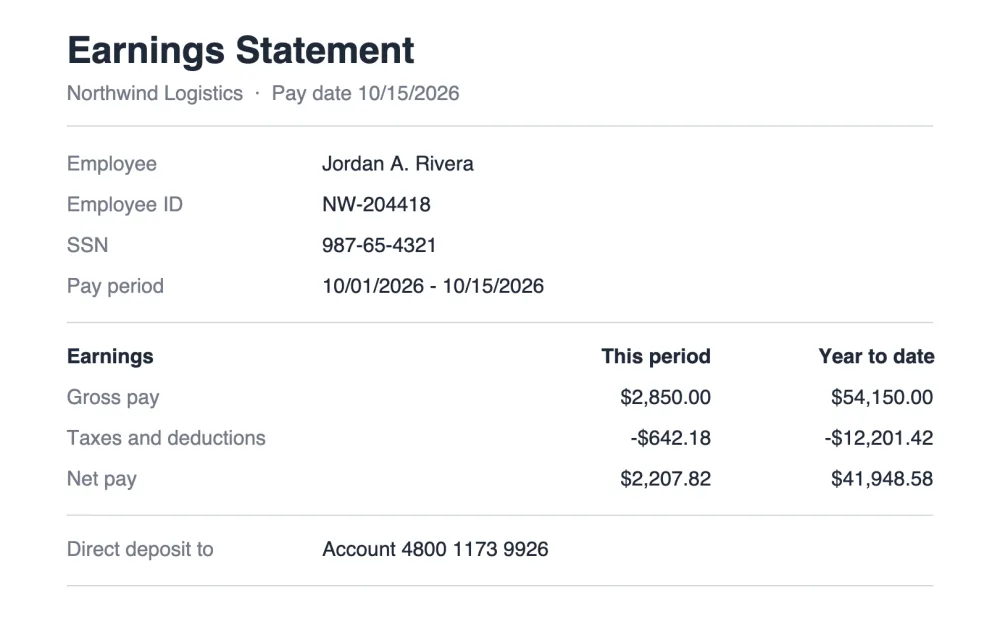
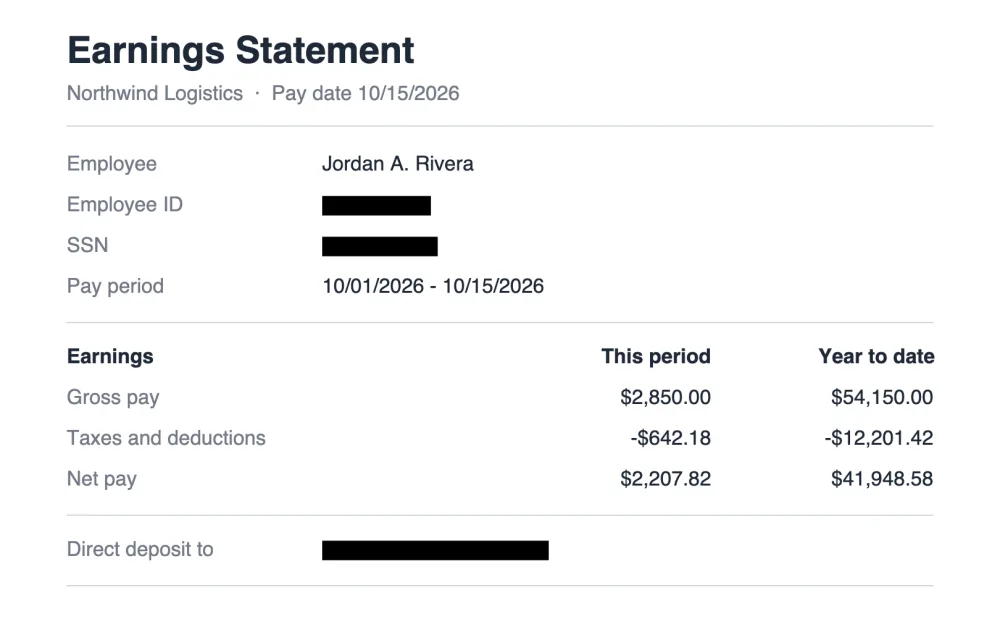
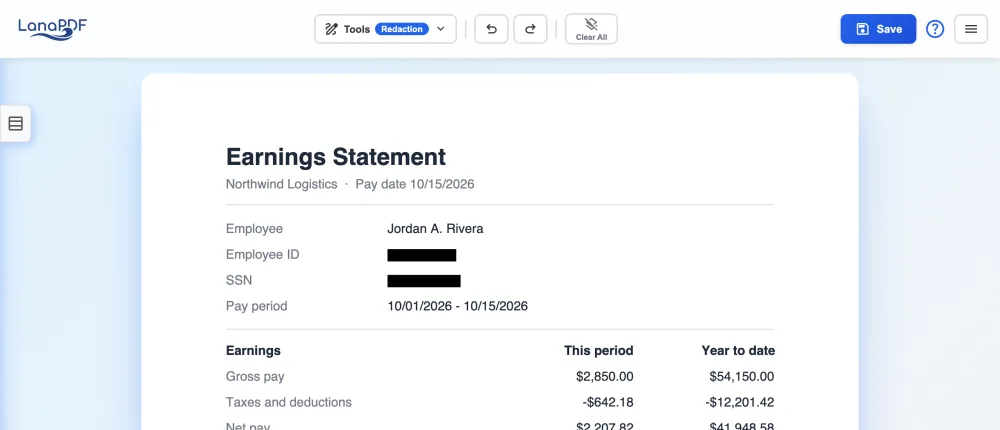
Paper Stubs and Photos
If you only have a paper stub, take a straight, well-lit photo and open the JPG or PNG in the editor. Drag the Redact box over each number and save; the bars are burned into the page. When you send several stubs, open the first and add the others with Add in the Pages panel on the left, so they go as a single PDF.
Checklist Before You Send
- Search the saved file (Ctrl+F or Cmd+F) for your account number and SSN digits. Nothing should be found.
- Gross pay, net pay, dates and year-to-date totals are readable on every stub.
- No figure was changed, only covered.
- Send the number of stubs asked for, usually the two or three most recent.
- Use the landlord's or lender's upload portal if they have one. See submitting documents to a landlord.
FAQ
What can I redact on a pay stub for an apartment application?
Your Social Security number, employee ID, the bank account and routing numbers for direct deposit, and your home address if the application already has it. Keep your name, the employer, the pay dates, gross pay, net pay and year-to-date totals readable.
What does a redacted pay stub mean?
It is a copy of a pay stub with identifiers such as the Social Security number and bank account number blacked out and removed from the file. The pay figures are unchanged and still readable.
Will a landlord accept a redacted pay stub?
Most landlords and lenders accept a pay stub with the SSN and bank details redacted, because they only check the income. The pay figures must stay visible, and some will confirm employment with your employer directly.
Can I redact a pay stub for free?
Editing and exporting are free and need no account or card: download, print or save to Google Drive as often as you like. Free exports carry a small LanaPDF footer watermark on each page. For exports without the footer watermark, a 7-day pass is $1.50 and does not renew, or membership is $6 a month.
Redact your pay stub now
Cover the identifiers, keep the pay figures, save. Runs in your browser, no upload.
Redact a PDF