Lenders, landlords, courts and financial aid offices ask for tax returns because a return is the most complete record of what you earn. It is also one of the most sensitive documents you have: every Social Security number in your household, your bank account and routing numbers, and sometimes an Identity Protection PIN.
Most recipients only need the income figures. This guide lists what to redact on a Form 1040, what to leave readable, and how to remove the numbers from the PDF so they cannot be copied back out.
In this guide
Who Asks for a Tax Return, and Why
- Mortgage lenders and loan officers check income, especially self-employed income on Schedule C. Many verify the return directly with the IRS through Form 4506-C, which carries your SSN separately, so the copy you send often does not need it. Ask before you redact.
- Landlords and property managers want proof of income. They need the totals, not your identifiers.
- Courts, in divorce, child support and other cases. Federal rules (Fed. R. Civ. P. 5.2) allow only the last four digits of an SSN and of a financial account number in public filings.
- Financial aid offices reviewing an appeal or a verification request.
What to Redact on a Form 1040
| Item | Where it is | Redact? |
|---|---|---|
| Your SSN | Top of page 1, and the header of every schedule | Yes, or keep the last four |
| Spouse's SSN | Top of page 1 | Yes |
| Dependents' SSNs | Dependents section, page 1 | Yes |
| Refund routing and account numbers | Lines 35b and 35d | Yes |
| Identity Protection PIN | Signature area, page 2 | Yes |
| Phone number and email | Signature area, page 2 | Optional |
| Home address | Top of page 1 | Only if the recipient already has it |
| Preparer's PTIN and firm EIN | Paid preparer section, page 2 | Optional |
If W-2s or 1099s are attached, they carry your SSN again and your employer's EIN. See how to redact a W-2.
What to Leave Readable
Leave your name, filing status and the figures the recipient is checking: wages (line 1z), total income (line 9), adjusted gross income (line 11), taxable income (line 15) and total tax (line 24), plus any schedule that shows business or rental income. A return with those numbers blacked out is no longer proof of anything, and it will be sent back.
Redact a Tax Return in Five Steps
- Open the return in the LanaPDF editor. A return downloaded from tax software or e-file is a normal PDF. The file stays on your device.
- Choose Tools > Redact.
- Drag across each item in the table above. The box snaps to the text line. Use the page sidebar to go through every page; each schedule repeats your SSN at the top.
- Save. Pages with a redaction are saved flattened, with a hidden text layer that leaves out the covered numbers. The rest of the return can still be searched.
- Check the saved copy with the checklist below.
What a Redacted Tax Return Looks Like
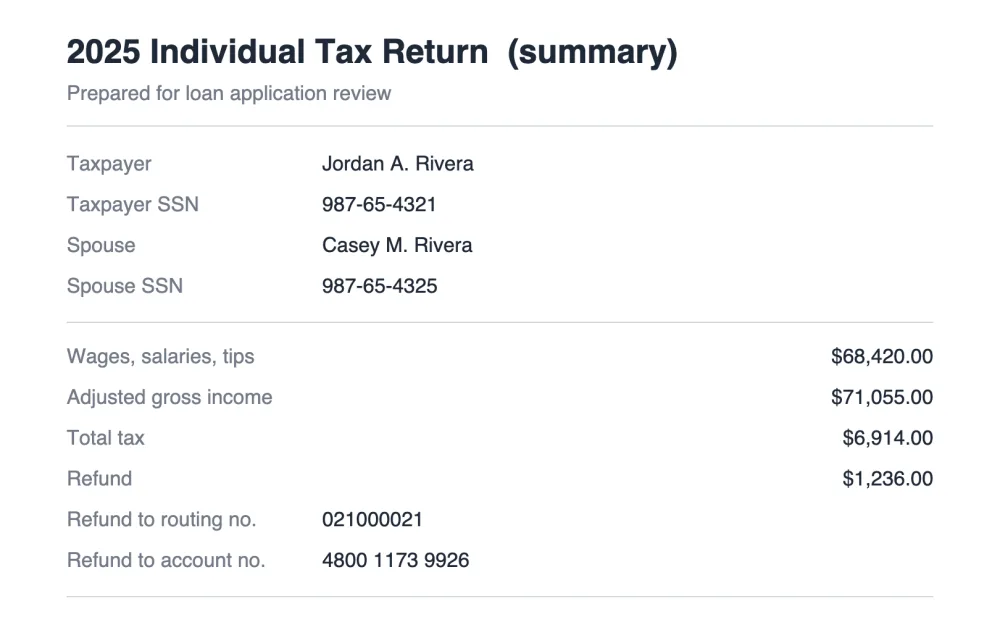
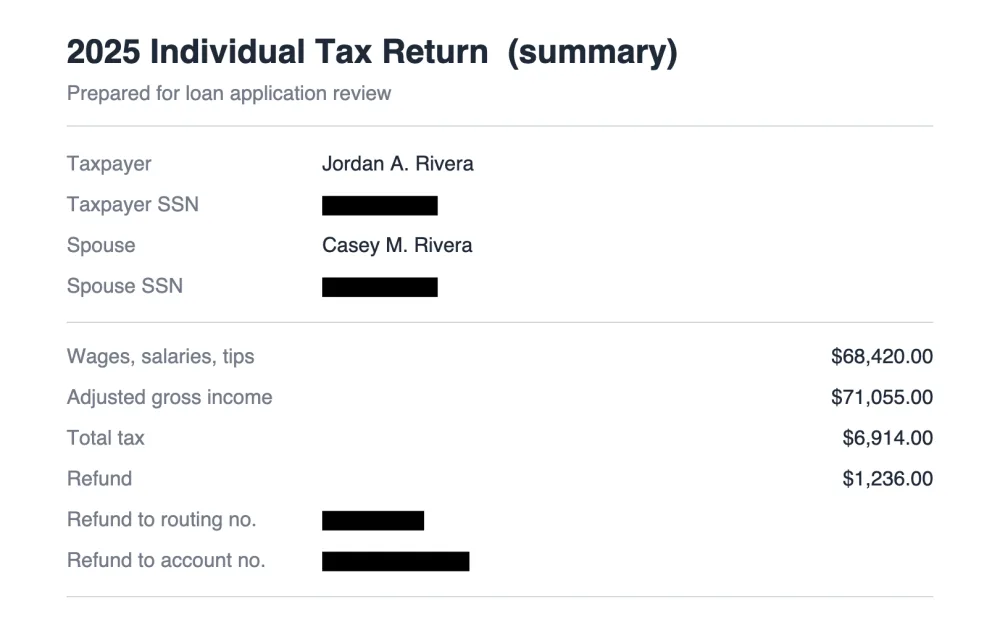
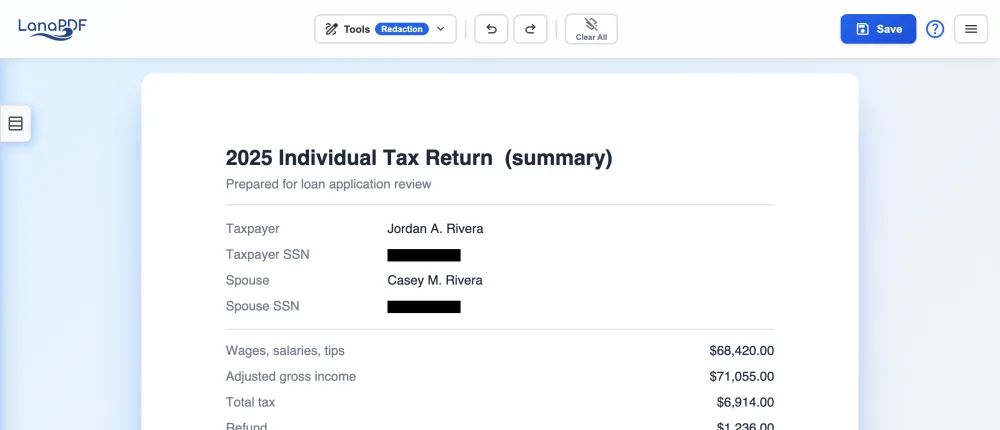
A paper return you scanned works the same way: open the scan or photo, drag the Redact box over each number and save. If the scanner app added a hidden text layer, the covered numbers are removed from it too.
Checklist Before You Send
- Search the saved file (Ctrl+F or Cmd+F) for the last four digits of each SSN and of the bank account. Nothing should be found.
- Page through every schedule and attachment. Each one has its own header.
- Confirm the income lines are still readable.
- Rename the file if its name contains your SSN or account number.
- Send it through the recipient's upload portal if they have one, rather than email.
FAQ
What should I redact on a tax return?
Redact every Social Security number (yours, your spouse's and your dependents'), the refund routing and account numbers, and the Identity Protection PIN if there is one. Keep the income, adjusted gross income and tax figures readable, since those are what the recipient is checking.
Can I redact my SSN on a tax return for a mortgage lender?
Ask the lender first. Many accept a copy with the SSNs redacted because they verify the return with the IRS through Form 4506-C, which you sign separately. Some underwriters ask for the complete return.
What is a redacted tax return?
A copy of a return with Social Security numbers, bank account numbers and other identifiers blacked out and removed from the file, while the income and tax figures stay readable.
Can I redact a tax return PDF for free?
Editing and exporting are free and need no account or card: download, print or save to Google Drive as often as you like. Free exports carry a small LanaPDF footer watermark on each page. For exports without the footer watermark, a 7-day pass is $1.50 and does not renew, or membership is $6 a month.
Redact your tax return now
Cover the SSNs and bank numbers, save, and they are gone from the file. No upload.
Redact a PDF