Change the text already in your PDF

Click a line, retype it, and it stays in the document's own font. No white box pasted over the old words.

Drop your PDF here or click to browse files
  1. Drop your PDF
  2. Click any line and retype it
  3. Save. Free, no account
Keeps the original font
Files never leave your device
Google Drive™

See LanaPDF in Action

The document work people come to LanaPDF for, shown in the editor. Every edit runs locally in your browser -- the file is never uploaded to a server.

Intelligent text editing

Edit the real text on the page

Click into existing PDF text and change it directly. LanaPDF matches the nearby font, size, and styling, so the edit reads like the rest of the document.

True redaction

Covered text does not travel with the file

Before saving, LanaPDF removes the content underneath a redaction instead of drawing a box over it. You can also flatten the whole document into image pages.

Text annotation

Add callouts and notes to any page

Place text anywhere on the page with Text-Snap alignment, then style it using the font, size, and color controls you already know.

Repair PDF

Two ways to fix a broken document

Deep Repair flattens every page to a clean image so text that garbles when printed can never bleed through again. Standard Repair rewrites the file structure and keeps the selectable text. Both run locally and reload the repaired copy in place. The whole rebuild is compiled to WebAssembly and executed by your PC’s processor, so repair speed scales with your own hardware instead of a shared server.

Cut & Move · LanaPDF exclusive

Move content from one page to another

Select a chart, a paragraph, or a signature block on one page and drop it onto another. The original spot is filled with the page background, the moved piece becomes part of the document, and the whole file still exports as a normal PDF. No other browser editor moves baked-in page content this way.

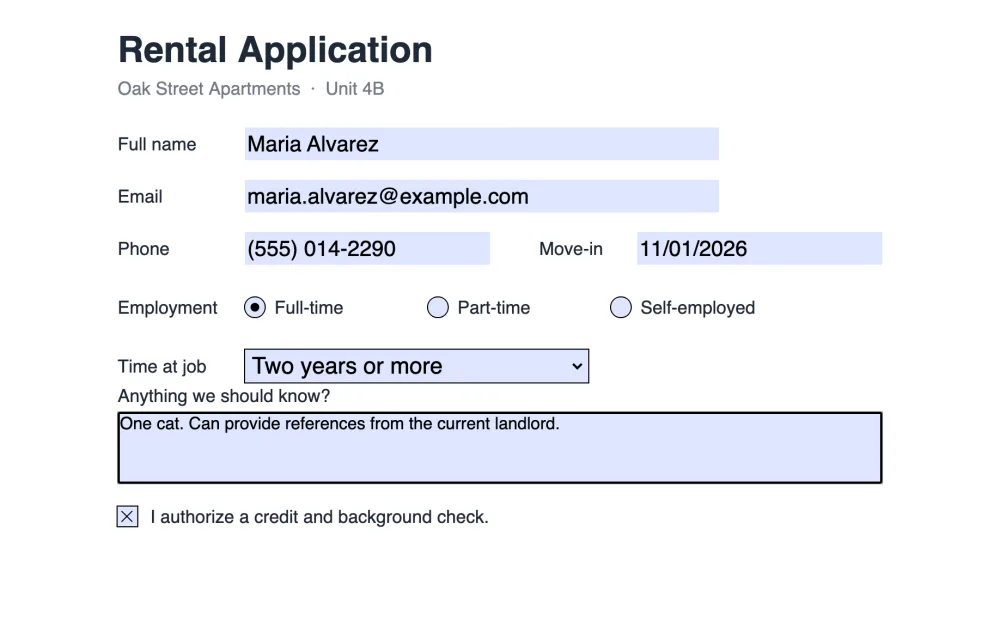
A rental application PDF filled in LanaPDF: typed name, email, phone and move-in date, a selected radio button, a dropdown answer and a ticked consent box.
PDF forms

Fill in forms, or make your own

PDFs with form fields open ready to fill: type in the boxes, tick checkboxes, pick options, sign and save, and the answers stay in real fields. To make a form fillable, choose Tools → Forms and draw text fields, checkboxes, radio groups and dropdowns, even on a scan or a photo of a paper form.

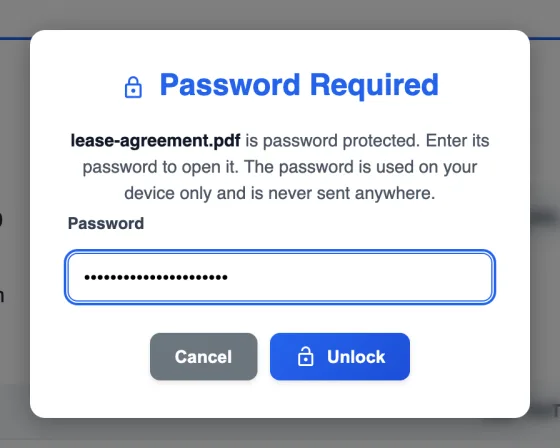
LanaPDF Password Required dialog for a protected lease agreement, with the password typed and an Unlock button.
Password protection

Lock a PDF, or unlock one you can open

Type a protected PDF’s password once and edit it like any other file: the text stays real. When you save, keep the password, remove it, or set a new one with AES-256 encryption, and optionally block printing, copying and editing. The encryption runs in your browser, so the unprotected file is never uploaded.

Also in the same workspace

Local OCR

Turn scanned pages into selectable text on your device.

Page management

Add files or blank pages, rearrange, rotate, and delete pages from the sidebar.

Bubble Numbers

Drop auto-incrementing numbered bubbles anywhere on a page.

Copy & Paste

Duplicate a logo, stamp, or block of page content and drop the copy anywhere.

Merge & rearrange

Combine files and set the final page order in one pass.

Sign PDFs (SES)

Add a simple electronic signature and fill in fields without printing anything.
Edit PDFs on your iPhone or Android phone

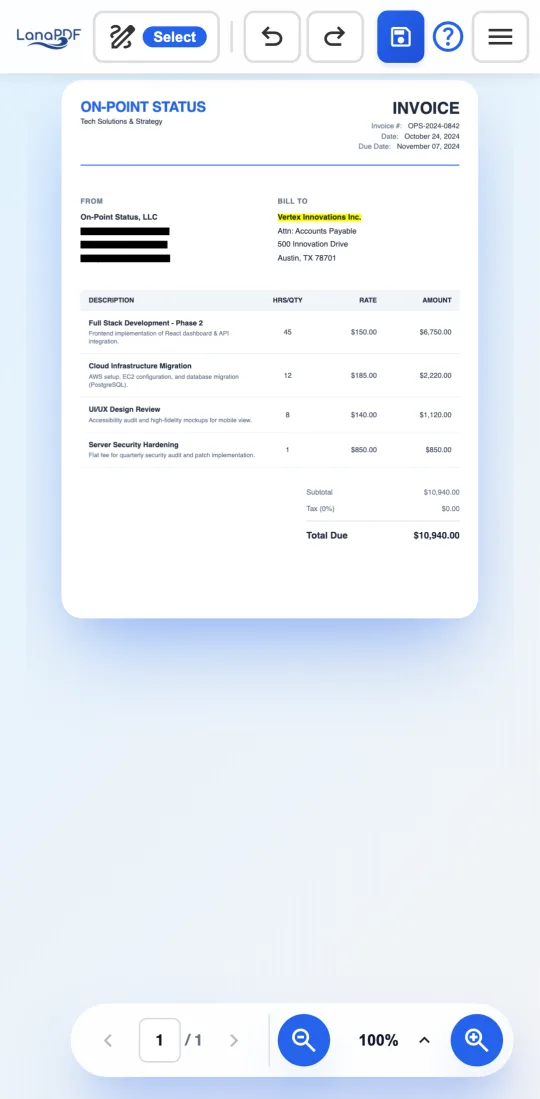
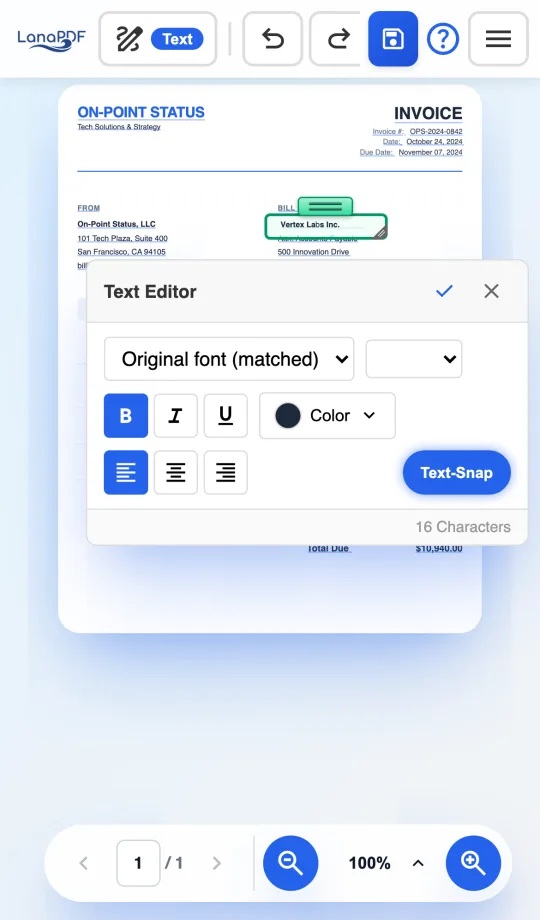
The same editor runs in Safari on iPhone and iPad and in Chrome on Android, with no app to install. Tap a line of text to rewrite it in the document's own font, drag to redact, sign with your finger, and pinch to zoom. The file is processed on the phone, not uploaded.

Built-in phone tools such as iPhone Markup and the Google Drive viewer can draw and highlight, but they cannot change the words already in a PDF.

LanaPDF in Safari on an iPhone, editing the company name on an invoice in the invoice's own font LanaPDF in Chrome on an Android phone with an address redacted and a name highlighted

Document Safety Guides

Redact, share, and send sensitive documents the safe way. With LanaPDF, everything happens locally in your browser -- your files never leave your device.

Redact a Bank Statement

Account numbers stay in the file when you cover them with a box. Remove them for real.

Is It Safe to Email Bank Statements?

What actually happens to your statement in transit -- and the checklist that makes it safe.

Redact a W-2 Before Sharing

Your SSN, wages, and employer EIN -- and who genuinely needs the full document.

Redact Medical Records

Protected health information deserves stricter handling than any other file you own.

Is Your Redaction Actually Hiding Anything?

A 30-second test that tells you whether the text under your black boxes is really gone.

What Flattening a PDF Really Does

What you gain, what you lose for good, and when flattening is the right call.

Browse all document guides →

Used by professionals in 26+ countries

Private PDF editing you can verify.

دعم عربي كامل

Arabic & RTL Support

Full right-to-left text engine optimized for Arabic PDF editing and annotation.

中文 한국어 JP

APAC Region Support

Dedicated font rendering and tech support for Chinese, Korean, and Japanese enterprises.

Brazil Mexico United States Singapore Malaysia Poland Sweden Chile United Kingdom Germany France Egypt

A sample of the countries where LanaPDF is used.

Free to use. Pay only to drop the footer watermark

Every tool is open from the first second: edit the actual text, redact for real, OCR a scan, sign, fill and create forms, lock or unlock with a password. Exporting is free too, as often as you like, with a small LanaPDF footer watermark on each page. For clean exports, pay for the week you need it or for every month you use it. Either way the file stays on your device.

Redaction OCR Merge PDF Rearrange Pages Sign PDF (SES) Edit Text Draw & Annotate Page Rotation Image Insertion Cut & Move