Fill in a PDF form: click a field and type
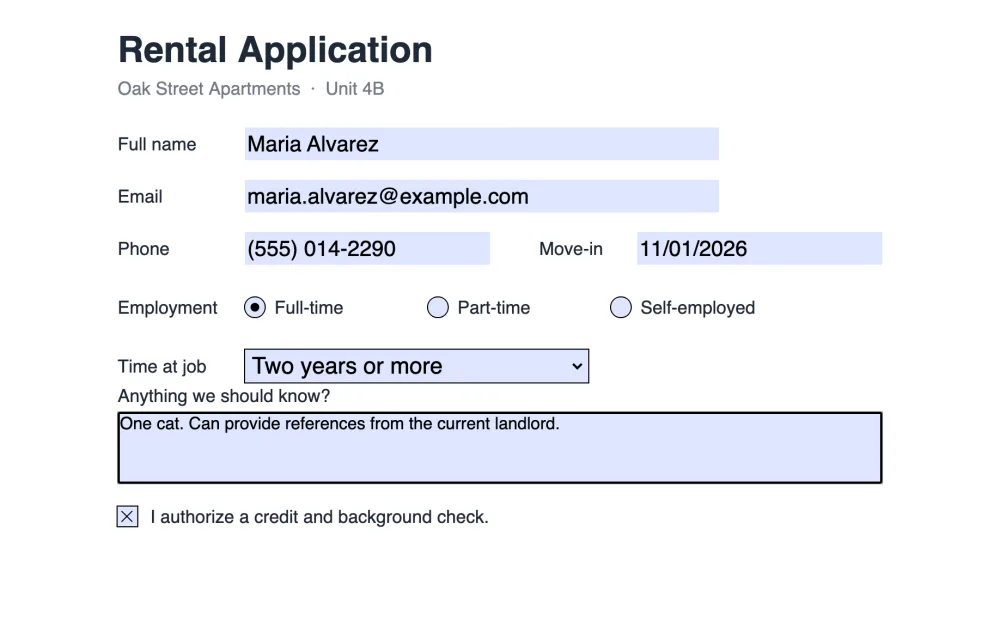
PDFs with form fields open ready to fill. Type in the text boxes, tick checkboxes, choose radio buttons and dropdown options, add your signature, and save. Your answers stay in real form fields that open in any PDF reader. No upload, no account.
How to fill in a PDF form
- Open lana-pdf.com/app and drop the form in. If it has fillable fields, a message says how many.
- Click a field and type. Use the Select or Text tool. On a phone, tap the field and the keyboard opens.
- Tick checkboxes, pick a radio button, choose from dropdowns.
- Sign if the form asks for it. Draw or type a signature with the Sign tool and place it on the line.
- Save. Leave Flatten form fields unticked to keep the form fillable, or tick it to write the answers into the page.
Keep it fillable or flatten it?
| Save option | Result | Use it when |
|---|---|---|
| Keep fillable (default) | Your answers sit in the fields. Anyone with the file can still change them. | Someone else fills in the next part, or you may correct it later. |
| Flatten form fields | The answers are written into the page and the fields are removed. | The form is finished and nobody should change it. |
Answers that vanish in other apps
A common complaint: you fill a form in one app, send it, and the recipient sees empty boxes. That happens when an app stores the value but not how it looks. LanaPDF saves each value with its appearance, so the answers show in Adobe Reader, Apple Preview, Chrome and phone viewers. More in how to fill out a PDF form.
Forms without fields, and protected forms
No fields to click
Type on the page with the Text tool; see fill in a non-fillable form.
Make it fillable
Add real fields for the next person with Tools > Forms; see create a fillable PDF.
Password-protected form
Type the password when it opens. The saved copy keeps the password and your answers; see unlock a PDF.
Stop and come back
Save Session keeps the answers typed so far in this browser.
FAQ
How do I fill out a PDF form online?
Open the form at lana-pdf.com/app, click each field and type, tick boxes and pick options, then save. The form is filled in your browser and is not uploaded.
Why can't I type in my PDF form?
The form probably has no fillable fields, only lines and boxes printed on the page. Type on it with the Text tool, or add real fields with Tools > Forms.
Will my answers stay in the form?
Yes. Values are saved in the fields together with their appearance, so they show in Adobe Reader, Apple Preview, Chrome and phone viewers. Tick "Flatten form fields" when saving if nobody should change them.
Can I fill in a PDF form on my phone?
Yes. Open lana-pdf.com/app in Safari or Chrome and tap a field. The keyboard opens and you type as on a computer.
Is it free to fill out a PDF form?
Editing and exporting are free and need no account or card: download, print or save to Google Drive as often as you like. Free exports carry a small LanaPDF footer on each page. For exports without the footer, a 7-day pass is $4 and does not renew, or membership is $6 a month.