Edit a PDF on a Mac, including the text already in it
Preview can add text boxes, highlight and sign, but it cannot change a word that is already in the PDF. LanaPDF does that in Safari or Chrome on macOS: click a line, retype it, and it stays in the document's font. Nothing to install, and the file is not uploaded.
How to edit PDF text on a Mac
- Open lana-pdf.com/app in Safari, Chrome, Edge or Firefox.
- Drag the PDF from Finder onto the page, or click the drop area to choose it.
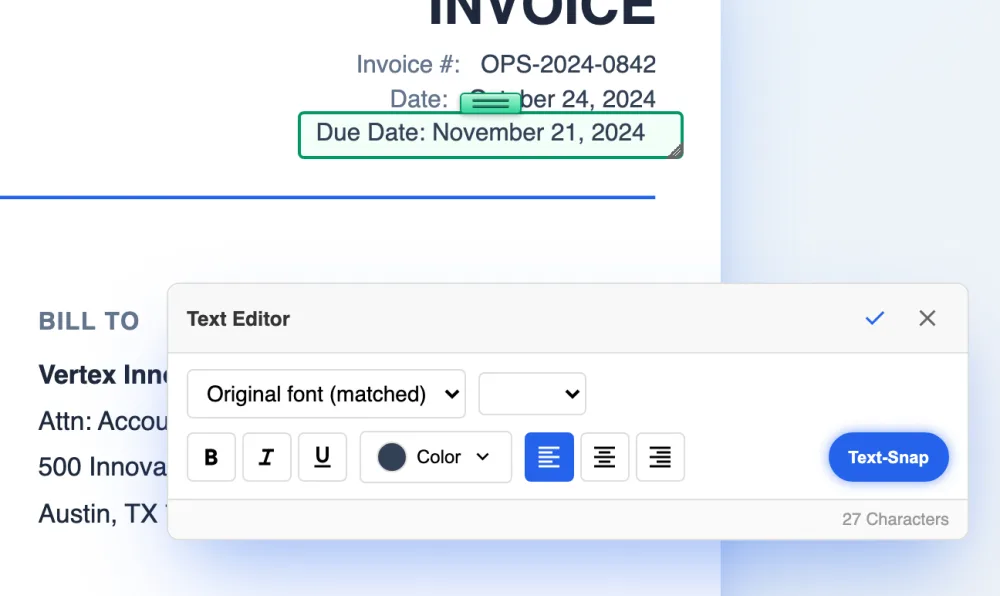
- Choose the Text tool and click the line you want to change. It opens in the document's own font; the Text Editor panel says Original font (matched).
- Type the new wording, then click Save. Safari puts the file in Downloads unless you chose another folder in its settings.
To keep it one click away, install it from the home page as a desktop app, or in Safari on macOS Sonoma or later choose File, then Add to Dock.
Preview and LanaPDF
Preview is fine for reading, signing, adding a text box and reordering pages. It has no way to change existing text, so a typo or a wrong date means covering the old words with a shape and typing over them, which leaves the original text in the file.
| Task | Preview | LanaPDF |
|---|---|---|
| Change text already in the PDF | No, new text boxes only | Yes, in the original font |
| Move a paragraph, price or image | No | Yes, with Cut & Move |
| Edit words on a scanned page | No | Yes, after OCR |
| Highlight, draw, add shapes | Yes | Yes |
| Sign | Yes | Yes |
| Reorder, rotate, delete, merge pages | Yes | Yes |
Other things Mac users come for
Scanned documents
Run OCR on a scan, then edit the recognized words. See editing a scanned PDF.
Redaction
Remove names and account numbers so they are gone from the file, not just covered. See Redact PDF.
Broken files
Open PDFs that Preview reports as damaged. See Repair PDF.
iPhone and iPad
The same editor runs in Safari on iOS. See editing a PDF on iPhone.
FAQ
Can you edit text in a PDF on a Mac with Preview?
No. Preview can add new text boxes, shapes, highlights and signatures, but it cannot change text that is already in the PDF. To change existing words, open the file in LanaPDF in Safari or Chrome, choose the Text tool and click the line.
How do I edit a PDF on a Mac for free without Adobe?
Editing is free and needs no account. Your first export, meaning the first download, print or Google Drive save, is free too, with no account and no card, and carries a small LanaPDF footer. After that, and for exports without the footer, a 7-day pass is $4 and does not renew, or membership is $6 a month.
Does LanaPDF work in Safari on macOS?
Yes. It runs in current versions of Safari, Chrome, Edge and Firefox on macOS, on Intel and Apple silicon Macs. There is nothing to install.
Is my PDF uploaded when I edit it on my Mac?
No. The PDF is opened and edited inside the browser on your Mac. It is not sent to our servers.